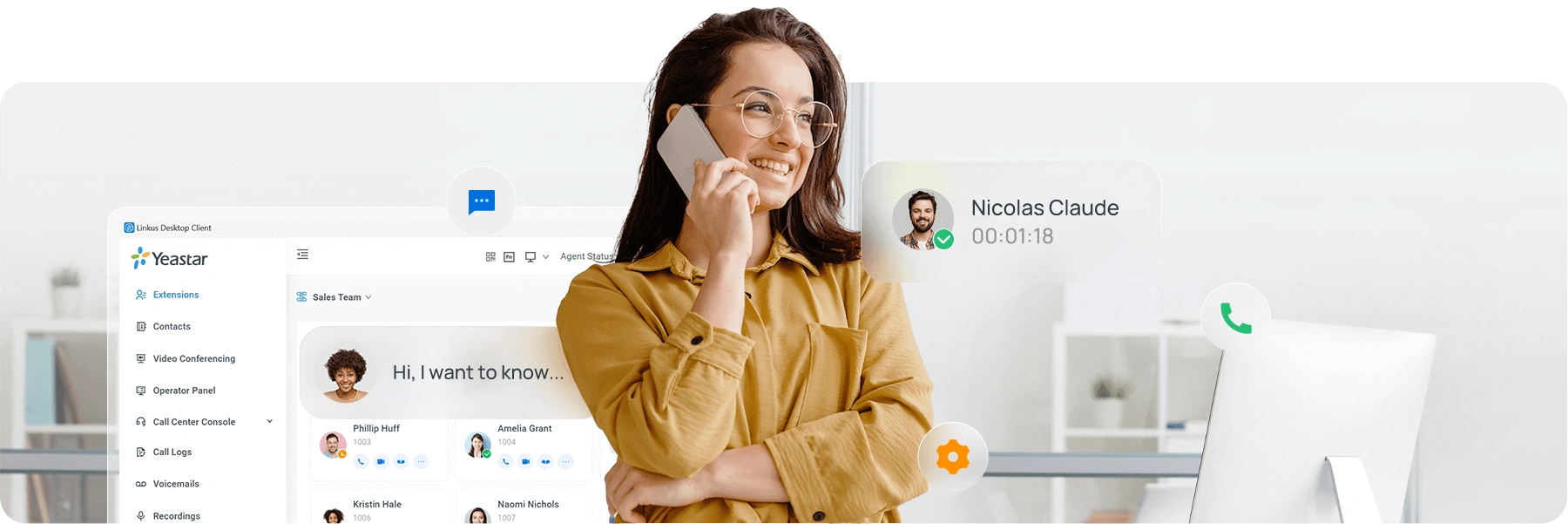
Fully functional, secure and adaptable unified communications — deployed on your own server. Bring your own trunks, phones and infrastructure, and stay in complete control.
650,000+ Yeastar PBXs installed across 120+ countries worldwide
Easy · Optimal · Scalable
Easy, Optimal & Scalable PBX Software
Meet all your communication needs in a single system. The Yeastar software-based PBX includes everything you need, out of the box.
A full list of industry-leading features with web, mobile and desktop clients
Easy, modern GUI powering point-and-click administration
Bring your own SIP trunks, phones and devices with auto-provisioning support
Self-hosted in your own private server, so you stay in complete control
One Platform
All-in-One Software PBX Solution
Packed with 100+ features with industry-leading usability and reliability — voice, call center, video, messaging and integrations in a single system.
Phone
Get advanced call control and never miss a call.
Intelligent call routing, auto attendant, IVR, call recording, voicemail, time conditions and more
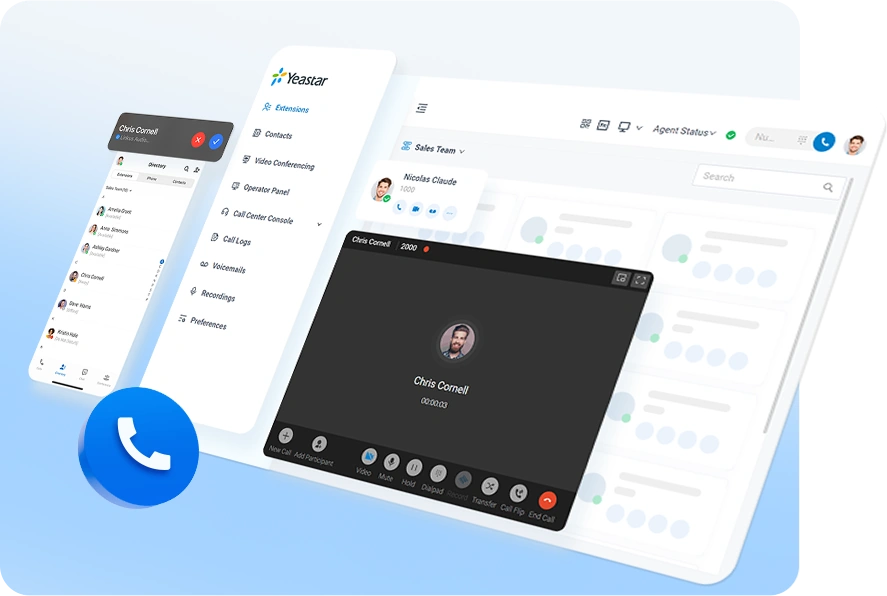
Anywhere, anytime connectivity with Linkus desktop, mobile and web apps
Visual operator panel for receptionist and supervision needs
Call Center
All inbound and outbound call capabilities for both agents and supervisors.
Self-service IVR, queues and ring groups
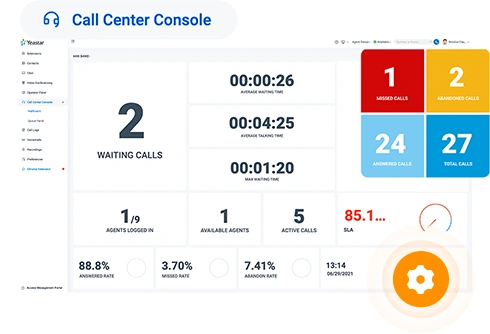
Queue Panel with call data plus agent and supervisor tools in one interface
Wallboard and real-time performance monitoring
Queue callback, survey, reporting and more call center features
Outbound call center with auto dialers, campaign management and DNC list for secure outreach
Video Conferencing
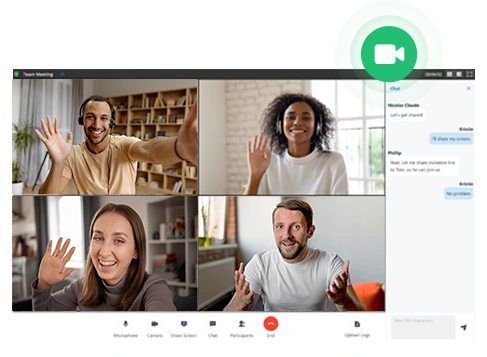
Start or schedule meetings with anyone in a few clicks.
No-hassle, web-based video conferencing
Screen sharing and in-meeting chat
Full host controls, waiting room and passcode protection
Meeting scheduling and bulk email invitations
No downloads and encrypted communications
Omnichannel Messaging
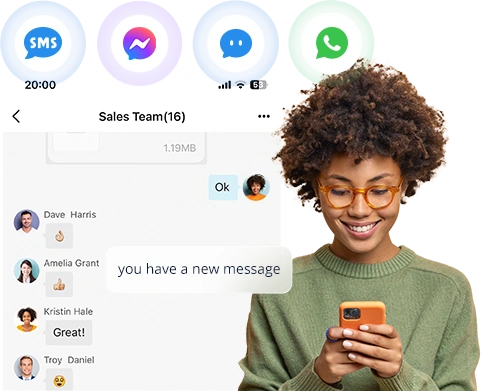
Website Live Chat, WhatsApp, SMS and Facebook messages — all in one interface.
Help customers across multiple channels in a single tab
WhatsApp and SMS messaging
Chat assignment and transfer
Match CRM contacts as messages come in
Keep a central record of every customer conversation
Integrations
Out-of-the-box integrations to streamline your business workflows.
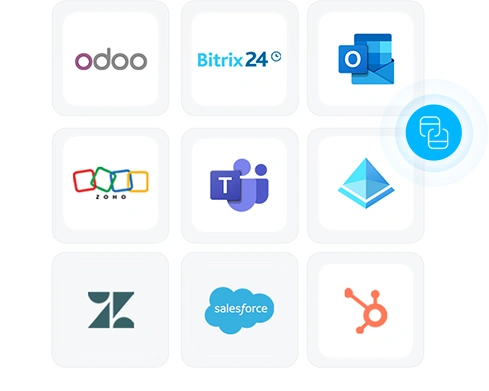
Free embedded calling app in Microsoft Teams
Rich CRM and helpdesk integrations
Microsoft 365 integration
Custom development with open APIs and SDKs
Many more out-of-the-box integrations
No-Code Automation
Automate Call Routing with Call Flow Designer
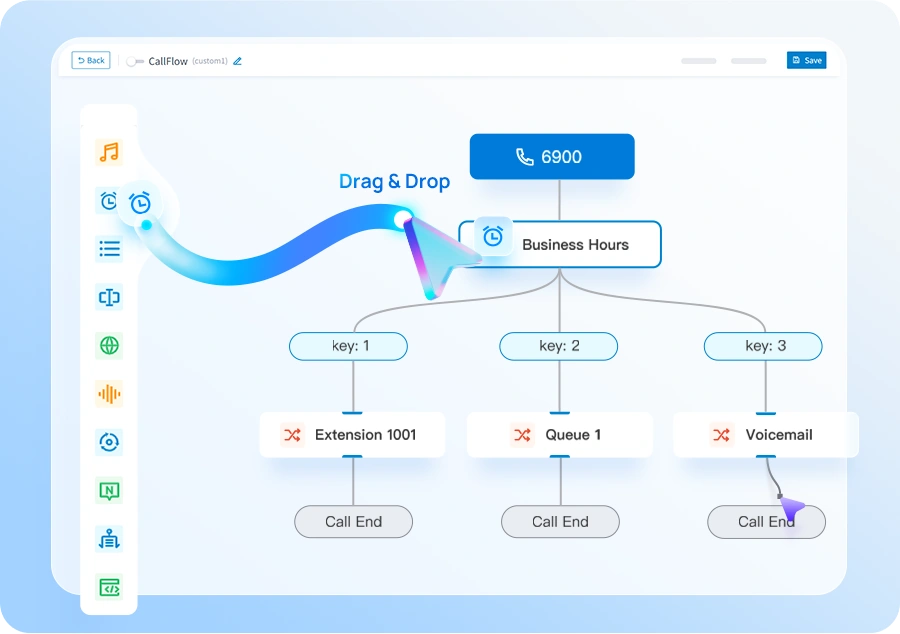
Easily automate call handling with Yeastar's built-in Call Flow Designer (CFD) — a visual, drag-and-drop tool for creating custom call flows without any coding.
CFD routes calls based on customer type, caller input, time of day, language preference and more. It can validate caller information against external databases, trigger real-time prompts using AI-generated voice, and ships with pre-built templates to help you get started quickly — all managed seamlessly within the PBX interface.
Deploy Anywhere
Self-Hosted on Your Cloud or On-Prem Server
Have your IT team deploy the solution in less than a day. The full-featured Yeastar PBX software runs as a single instance on various cloud environments or your on-premise server.
Point-and-click setup
Keep control of your trunks and numbers
Automatic system upgrade and backup
Save big on license fees and maintenance
Recommended Cloud Servers
AWS, Microsoft Azure, Google Cloud, Amazon Lightsail, DigitalOcean, OVHcloud, HETZNER, Vultr and more.
Virtualization Support
Run the PBX software on your preferred hypervisor for maximum flexibility.
Alternatively, bring your own infrastructure to host Yeastar on a multi-instance architecture, enabling a UCaaS service-delivery and management platform within your cloud.
For Service Providers
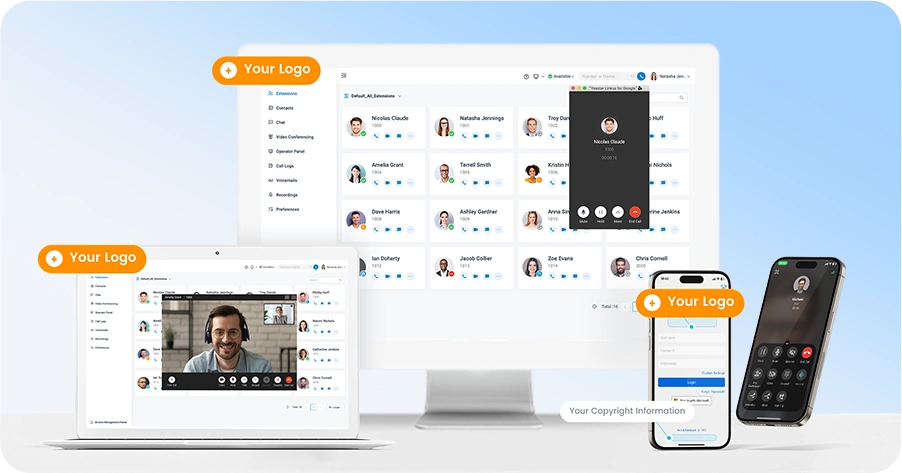
White Label in Minutes
Stay in control of everything — from PBX branding and service packaging to installation and support. Yeastar offers one of the easiest white-label solutions on the market, with point-and-click branding settings that go live in minutes. Grow your business quickly and easily with everything ready from a top-notch provider.
Reliability & Security
Work the Way You Do — with Peace of Mind
Enable Remote Working
Remote-enable your teams and connect remote locations and SIP devices with encrypted, trouble-free remote access service.
Built-in Security
TLS and SRTP encryption, firewall, automatic and static IP defense, SBC, 2FA, restricted country access and more to safeguard you from attacks.
Maximized Uptime
Solid PBX hot-standby redundancy keeps your business calls running as usual, even in the event of an unexpected server failure.
For Partners
Central Management for Partners
Reach, manage and monitor your fleet of customer-premise PBXs with ease. Yeastar empowers partners with a fully-fledged remote management portal offering PBX monitoring, task management and more.
The Software Edition is available in the Enterprise and Ultimate plans, each complemented by a wide range of powerful IP PBX features. Higher tiers add customer-engagement, integration and AI capabilities.
Enterprise Plan
Ultimate Plan
Deployment Mode
Appliance, Software, Cloud
Appliance, Software, Cloud
Call Forwarding
Call Monitoring (Listen/Whisper/Barge-in)
Call Parking
Call Pickup
Call Transfer (Attended/Blind)
Call Waiting
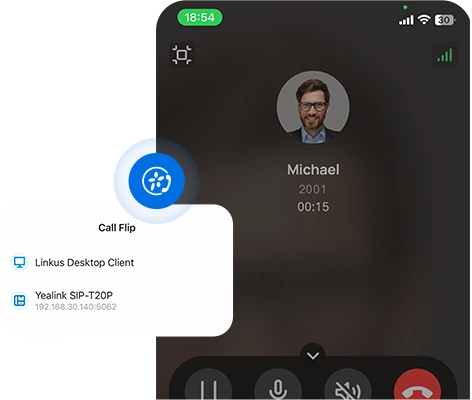
Call Flip/Switch
IVR (Multi-level/Multi-lingual/Time-based)
Queue
Ring Group
Paging & Intercom
Conference Rooms
Advanced CDR & Basic Reports
Dial by Name
AutoCLIP
Caller ID
CID-based & DID-based Call Routing
DID (Direct Inward Dialing)
DND (Do Not Disturb)
DOD (Direct Outward Dialing)
DNIS
Call Recording
Call Allow/Block List
Call Disposition
BLF Support
Busy Camp-on
Business Hours & Holidays
Boss-Secretary
Custom Prompts
Distinctive Ringtone
Music on Hold
MOH Playlist & Streaming
T.38 Fax
TAPI Driver
Fax to Email
Call Follow-Up via Email
Voicemail
Group Voicemail
LDAP Server
PIN List
Speed Dial
Emergency Number
Emergency Notifications
SIP Forking
IP Phone Concurrent Registrations
CTI for Desk Phone Control
Function Keys
Hotkeys
Web-based Management Portal
Graphical Dashboard
Auto Provisioning
Onsite Proxy
Bulk Import & Export
Extension Group & Organization
User Role & Permission
QoS Monitoring
Operation Logs
Event Logs
Event Notifications
Backup and Restore
Troubleshooting
Built-in SMTP Server
SNMP Support
APIs
Hot Standby
SRTP & TLS Call Encryption
Auto & Static Defense
Global Anti-hacking IP Blocklist
Certificates
Password Policy Enforcement
Two-factor Authentication (2FA)
Allowed Country IPs & Codes
Outbound Call Frequency Restriction
Linkus Web Client
Linkus Mobile Client (iOS & Android)
Linkus Desktop Client (Windows & macOS)
Linkus Google Chrome Extension
Operator Panel
Unlimited Users
Dispatch Active Calls (Redirect, Transfer, Hang up, Park, Monitor)
Monitor Call Status (Inbound, Outbound, Extension, Parked, Ring Group, Queue)
Unified Presence
Personal & Company Contacts
Audio Conferencing
Voicemail Transcription via Google Cloud STT
Call Pop-up URL
Door Phone Video Preview
1:1 or Group Chat with Colleagues
File & Image Sharing
Push Notification
Sync Across Linkus UC Clients
Sync Data to PostgreSQL, MySQL, Microsoft SQL
Custom Analysis on Grafana, Power BI, and Others
Ready-to-Use Dashboard Templates
Custom PBX Domain Name (FQDN)
Remote & Secure PBX Web Portal Access
Linkus UC Clients Remote Connection
LDAP Server Remote Access
Hassle-free Remote SIP Registration
WebRTC Trunk
No Port Forwarding & NAT Issues
Advanced Skill-based Routing & Queue Callback
Switchboard-type Queue Panel
Real-time Wallboard
SLA Monitoring & Threshold Notifications
Insightful Call Center Reports
Optional
Optional
Auto Dialers (Power, Progressive, Agentless)
Optional
Optional
DNC (Do Not Call) List
Optional
Optional
Campaign Settings & Management
Optional
Optional
Custom Call Disposition Tags
Optional
Optional
Performance-tracking Campaign Wallboard
Optional
Optional
Agent-based Campaign Call Inbox
Optional
Optional
Scheduled Callback
Optional
Optional
Custom Call Disposition Tags
Custom Contextual Remarks
Advanced Filter & Quick Searching
Cross-client Synchronization
Live Chat, SMS, WhatsApp, Facebook Integration
Central Message Inbox
Bulk Messaging (WhatsApp & SMS)
Automatic Contacts Matching
Message to Queue
Chat Assignment & Transfer
Elevate Chats to Calls in One Click
Message Detailed Records
Trunk SMS API for ITSP
Message API (available for all plans)
PBX-native Contacts Management
Separate Permission Control Per Phonebook
CRM Contacts Synchronization
Custom Rates Applied to Outbound Calls
Analysis Report on Telecom Expenses
Customize Reports with Datasets & Metrics
Monitor Personal Reports in One View
Call Lifetime Interaction Tracking
All Key Details in One Place
Context That Drives Action
Call Notification for Group Voicemails
Listen to Messages & Call Back Directly over the Phone
Never Miss an Urgent Message
Ideal to Support Emergency After-hour Services
Integration with Third-Party Fax Platforms
Fax Sending and Receiving
Fax to Email
Customizable Fax Cover Page
Supported CRMs: Zoho, Salesforce, Hubspot, Bitrix24, Odoo, Microsoft Dynamics 365
Integrate Local CRMs via CRM Integration Template
Click to Call
Auto Call Popup
Call Journal & Analytics
Contact Sync & Quick Searching
Auto & Manual Contact Creation
Supported Helpdesks: Zendesk and Zoho Desk
Integrate Local Helpdesks via Custom Integration Template
Auto Call Popup
Contact Sync & Quick Searching
Ticket & Contact Creation
Call Journal & Analytics
Microsoft Teams Integration
Outlook Integration
Microsoft Entra ID (Azure Active Directory)
User Sync & Single Sign-on (SSO)
Google Workspace User Sync
Single Sign-on (SSO)
Auto Create Extensions
Red Hat User Sync
Auto Create Extensions
Centralized Identity Management
Single Sign-on (SSO)
Support Microsoft SQL, LDAP Integration
Real-time Caller Lookup: Caller ID to Caller Name
Contacts Synchronization to PBX
Auto-route Callers Based on Phonebook Matches
Archive Files to External Servers
Call Recordings Archival
System Backups Archival
Supports FTP, SFTP, Amazon S3, Google Cloud Storage, SharePoint
Intuitive Front Desk Operation Panel
Wake-up Call Management
Room and Housekeeping Status
Guest Stay History
Call Accounting and Service Billing
Hotel Settings
Custom PBX Domain Name
Auto Domain Certificate Application
Auto Domain Certificate Renewal
AI Receptionist
Call Transcription
Call Summary
Text-to-Speech
Voicemail Transcription
–
Real-time Audio Stream Access
–
Third-party AI & Analytics Integration
–
Programmable via API
–
–
Drag-and-Drop Call Flow Design
–
Rich Ready-to-Use Components
–
Text-to-Speech Prompt
–
Seamless 3rd-Party System Integrations
–
–
Video Calls on Web Client
–
Video Calls on Desktop Client
–
Video Calls on Mobile Client
–
–
Bulk Email & Instant Link Invitation
–
HD Audio and Video
–
Screen Sharing
–
In-meeting Team Chat
–
–
User, Organization Unit, Group Synchronization
–
Auto Extension Assignment for New User
–
Single Sign-on (SSO)
–
–
Web/Browser SDK
–
Mobile & Pad SDKs: Android, iOS
–
Desktop SDKs: Windows, macOS
–
Secure Authentication with Tokens
–
Rich, Programmable Code Samples and UI
–
–
Cross-region Active-standby Redundancy
–
Automatic Failure Detection & Fallback
–
Real-time Data Replication
–
Secure SD-WAN or VPN Remote Networking
–
Optional
Optional
Room Status Synchronization
Optional
Optional
Wake-up Call Scheduling
Optional
Optional
Call Accounting & Minibar Charging
Optional
Optional
Guest Information and Room Move
Optional
Optional
Tap any feature to expand its details. Feature availability varies by plan and deployment — some capabilities require an add-on subscription. Contact us for the complete, up-to-date plan and feature list.
Software PBX is a software-based phone system that replaces traditional hardware-based PBX systems. It runs over your internet connection using VoIP technology instead of analog phone lines or digital ISDN connections, and can be installed on hardware or virtual servers you already own.
Do I need hardware with Yeastar PBX software?+
Not necessarily. The Yeastar P-Series Software Edition can be self-hosted on your own server — a physical machine, a virtual machine or a cloud server — so you can deploy it on existing hardware or in a cloud environment that best suits your business.
How does software PBX work for a business?+
A software PBX uses VoIP to handle and route calls over the internet, replacing legacy hardware phone systems. It delivers call routing, voicemail, conferencing and more — helping businesses streamline communication, cut costs and scale easily with advanced functionality.
What size of business is Yeastar PBX software suitable for?+
Capable of handling up to 10,000 users and 1,000 concurrent calls, the Yeastar Software Edition suits businesses of all sizes — from small teams to large enterprises — and scales as the business grows. It is available in India through Cohesive Technologies, the authorized Yeastar distributor. Call +91 120 4830000 or email sales@cohesiveglobal.com.